Cat Battles Abilities: Roster and Q Guide
Find all eight official Cat Battles ability names, recognize the equipped Dash button in current footage, and plan Q use around your position.
The official roster is Dash, Pounce, Hiss, Anchor, Stomp, Catnip, Fluff Up and Hairball; Q activates the equipped ability on PC. Check its current name and description. Dated footage shows Dash equipped; this guide does not invent the other skills' effects, costs or cooldowns.
View reference image
On this page
The confirmed Cat Battles ability roster contains eight names: Dash, Pounce, Hiss, Anchor, Stomp, Catnip, Fluff Up and Hairball. The developer’s Roblox description binds the ability action to Q on PC. That is the dependable starting reference for recognizing the roster and finding the input.
The same description does not explain every effect, unlock, cost or cooldown. CHALLS’ 17 October gameplay, reviewed on 18 October, shows an equipped Dash button and its Q prompt during bouts. This guide therefore concentrates on the confirmed roster, identifying the equipped skill and choosing a sensible moment to use it. It does not assign unverified effects or tier rankings to the other seven names.
Read the equipped name before planning around Q
Q is an action input, rather than the name of one permanent move. Look at the equipped ability display before the round. In the reviewed creator footage, the purple Dash display appears near the lower right with Q shown above it. Use that as a recognition example, then read your own interface.
Do not assume the skill you last inspected is the skill currently active. If you have changed equipment or entered a new session, check again. We have not verified every equip-menu transition or how selections persist between sessions, so the visible current name is a better basis for your plan.
Keep Q separate from Kick on F and Lift on Shift while learning. The official mapping gives each a distinct action. If you press several together, you can lose track of which action affected the situation and wrongly attribute a lift or hit to the ability.
For the basic control sequence, use the controls and survival guide. Learning the grab and lift states first gives you a clearer way to recognize what changes when you add the ability.
Use the roster as a recognition reference
The official order is Dash, Pounce, Hiss, Anchor, Stomp, Catnip, Fluff Up and Hairball. Match those spellings to the menu or equipped label. Do not confuse furs such as Gold or Galaxy with an ability name; the developer presents those under a separate collection heading.
A name suggests a theme, but it does not establish a tested effect. Anchor does not by itself prove immunity to every shove. Hairball does not establish a measured range, and Catnip does not establish a damage multiplier. A table built from those assumptions would look more complete while giving you less reliable advice.
When the current interface includes a description, read it before spending or changing your plan. Look for the actual action, who it affects and any displayed restriction. If a description is missing or unclear, preserve that uncertainty rather than treating a third-party tier letter as a substitute.
The roster was checked on 18 October 2026. A later update can add, rename or adjust a skill. Use the official listing and current menu together when a name differs; the presence of eight names in this review is not a promise that the roster is permanent.
Learn Q in open space before an edge fight
For a first attempt with the skill you already have available, choose a moment where you can see your cat, the nearby rivals and the boundary. Press Q deliberately and watch the result before adding another action. The goal is to connect the input to an observable change.
The reviewed footage repeatedly shows Dash equipped during live exchanges. That supports the existence of the named equipped skill in that build. A still frame alone does not measure travel distance, invulnerability, damage, cooldown or the exact moment a key was pressed, so this guide makes none of those numeric claims.
For your own learning, notice whether the visible action changes your position or the opponent’s situation. Also notice where it leaves you. An action that appears useful at first can put you near an edge or in a crowded exchange if you ignore the landing position.
Do not perform the first unfamiliar test while relying on it to prevent a fall. Start with enough room to recognize what happened. Once you understand the action available in your current version, you can connect it to a more demanding situation.
Give each use a job
Before pressing Q, decide what you are trying to accomplish in the current exchange. You might want to create room, reach a more useful position or support a ring-out attempt. These are tactical intentions, not a claim that every named ability can do all three.
Choose only a job the equipped skill’s current description or your repeated observations support. If you have not established that it can affect a held opponent, do not rely on that interaction during the first attempt. If you have not established where it moves you, do not aim the plan around an exact stopping point.
After using it, look at the next decision. Are you still facing the intended target? Is the boundary now closer? Has another cat entered the exchange? The value of an ability includes the position you must play from afterward, not merely the animation at activation.
This approach makes the use explainable. “I used the skill to create space, then moved away from the edge” is a clearer learning target than pressing Q whenever a fight becomes busy and hoping the result is favourable.
Read availability instead of assuming a cooldown number
The official description gives the PC input without a complete cooldown or resource table. Watch the current ability display for its own readiness indication. If Q does not trigger, first confirm that the intended skill is equipped and the game currently permits the action.
A failed press does not by itself prove a broken keyboard binding. The current state, an unavailable action or a changed control prompt can require attention. We have not documented every restriction, so avoid confidently assigning one cause from a single failed attempt.
For practice, compare two uses only after the interface indicates availability again. Do not count seconds from an edited creator clip and publish that as a permanent cooldown. Editing, game version and overlapping actions can make that inference unreliable.
If you report a problem, include the equipped name, device, current visible message and what you were doing immediately before Q. That is useful evidence for a correction; “this ability never works” leaves too many different situations mixed together.
Compare options after the basic action is readable
Once you can recognize your current skill, compare another available option against a concrete need. You may struggle to remain in a readable position, to finish an interaction or to recover after entering a crowded fight. Read the new option’s description and look for evidence that it addresses that need.
Keep the rest of your approach similar during the comparison. Changing mode, ability, opponent and basic control sequence at once makes a win difficult to explain. One successful bout also does not establish a universal best ability or measured win rate.
Do not buy crates expecting a specific combat skill unless the current game explicitly says that crate contains it. The official description links crates to furs, sumo gear and emotes, while abilities are a separate list. The coin and collection guide explains that distinction and the missing reward information.
A useful ability choice is one you can identify, activate intentionally and connect to the next position. The confirmed roster gets you to the right menu; the current description and readable bouts tell you whether the choice fits your problem. Keep unsupported effects, prices and tier letters out of that decision.
Step-by-step guide
- Read the equipped ability name
Match the current ability display to the official roster before planning around Q.
- Use Q deliberately in open space
Observe the currently equipped action without combining multiple unfamiliar inputs or relying on an untested rescue.
- Connect the result to the next position
Give the use a supported tactical purpose and read availability from the current interface.
Quick reference
Confirmed ability roster
Official names and PC input; individual effects, costs and cooldowns are not fully documented by these sources.
| Official ability | PC activation |
|---|---|
| Dash | Q when equipped and available |
| Pounce | Q when equipped and available |
| Hiss | Q when equipped and available |
| Anchor | Q when equipped and available |
| Stomp | Q when equipped and available |
| Catnip | Q when equipped and available |
| Fluff Up | Q when equipped and available |
| Hairball | Q when equipped and available |
Video evidence
Watch creator walkthroughs alongside this guide. Check the recording date before following requirements that may have changed.
CAT BATTLES ROBLOX GAME
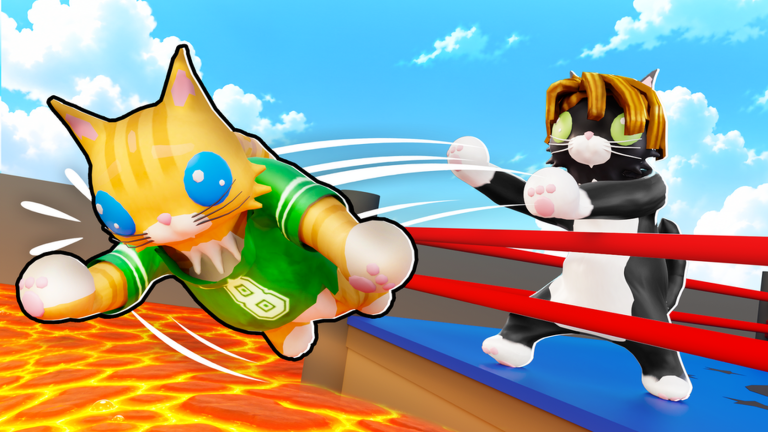
Creator footage shows the ring, current action prompts and equipped ability. It supports observed actions, not unmeasured win rates or crate odds.
FAQ
Which version does this guide describe?
The official listing and dated creator footage were checked on 18 October 2026. No public build number was available. Follow your current in-game prompts when an update changes the interface.
Are the recommendations based on a personal playtest?
The facts come from the linked developer description and named creator footage. The route and practice suggestions are original editorial advice; no personal live playtest or paid purchase is claimed.
Sources
Recheck these links whenever the game version, release status, or strategy changes.
- Cat Battles — official Roblox listing Developer description and exact game identity checked 18 October 2026.
- CHALLS — Cat Battles GUIDE! (Codes, Best Abilities, How To WIN, Tips & Tricks) ROBLOX Published 2026-10-17. Creator footage, distinct from developer documentation.
- @Baahu — CAT BATTLES ROBLOX GAME Published 2026-10-17. Creator footage, distinct from developer documentation.